
NDIS providers rely on digital systems to coordinate support, communicate with workers and maintain participant records. Those systems may hold contact details, support plans, assessments, health-related information, invoices and notes about daily services. A lost phone, compromised account or accidental email disclosure can affect privacy, participant safety and continuity of support.
Cybersecurity does not need to begin with expensive technology. It begins with knowing where information is held, limiting access, protecting devices, and preparing a response when something goes wrong. This guide is intended for Australian registered and unregistered NDIS providers, allied health teams, support coordinators and small disability-support businesses. Requirements vary with the provider's circumstances.
Key takeaways
- Keep participant information in approved systems and restrict access to workers who need it.
- Protect email, cloud services and remote access with multi-factor authentication (MFA).
- Secure phones, laptops, shared devices and third-party accounts used by mobile workers.
- Maintain tested backups, an incident-response plan and continuity arrangements.
- Understand which NDIS and privacy requirements apply to your organisation; an awareness checklist is not an official audit.
Why protecting participant information matters
Participant records can reveal highly personal details about a person's health, disability, support needs, home environment and daily routines. Inappropriate access or disclosure may create risks beyond financial loss, including distress, loss of trust and disruption to essential services. Security measures should protect confidentiality while still allowing authorised workers to access information needed to deliver safe support.

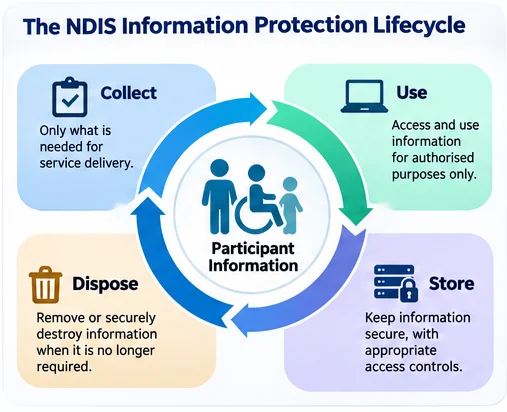
Four places participant information needs protection
Map where participant information is stored and shared
Start with a simple inventory of client-management platforms, email accounts, cloud storage, messaging applications, mobile devices, laptops, shared folders and paper records. Include systems operated by contractors and third-party service providers. Record who owns each system, who has administrator access and how information is shared or removed.
Ask whether workers are using personal email, unapproved messaging applications or shared accounts. Review external file-sharing links, permissions granted to former staff and accounts that have not been used for some time.
Common cybersecurity risks for NDIS providers
Six common exposure points
Understand NDIS and Australian privacy obligations
NDIS Code of Conduct
The NDIS Code of Conduct applies to registered and unregistered NDIS providers and workers. It includes respecting the privacy of people with disability and providing supports safely and competently. Cybersecurity is one way organisations can support those responsibilities. See the NDIS Commission's Code of Conduct guidance.
NDIS Practice Standards
Registered providers must meet the applicable NDIS Practice Standards. The core module includes requirements relating to information management, risk management and operational governance. Specific obligations depend on the registration groups and standards that apply. See Provider governance and operational management.
Privacy Act and APP 11
Organisations covered by the Privacy Act 1988 must comply with applicable Australian Privacy Principles. APP 11 concerns reasonable steps to protect personal information. Whether a particular NDIS provider is covered depends on its circumstances; do not assume that all providers have identical Privacy Act obligations. See the OAIC's APP 11 guidance. Eligible data breaches may also trigger notification obligations under the Notifiable Data Breaches scheme.
Practical cybersecurity controls to implement
1. Secure accounts and enable MFA
Give each worker a unique account, enable MFA wherever supported, remove access promptly when a person leaves and limit administrator permissions. Review access to participant records regularly.
2. Protect devices and keep software updated
Use supported operating systems, automatic updates, device screen locks and encryption where appropriate. Maintain a device inventory and a process to report lost or stolen equipment immediately.
3. Control sharing and communications
Approve the channels workers may use to share participant information. Use access-controlled systems rather than forwarding records to personal email or public links. Verify recipients before sending sensitive information.
4. Review cloud and supplier access
Know where service records are hosted, who can administer them and how backups and incidents are handled. Confirm responsibilities with case-management software providers, outsourced IT teams and subcontractors.
5. Test backups and prepare for downtime
Protect copies of critical records, test restoration and document how staff will continue essential services during an outage. Keep emergency contact arrangements available without relying solely on the affected system.
6. Train workers and maintain clear procedures
Provide short, practical guidance on phishing, unexpected login prompts, misplaced devices, accidental disclosures and reporting concerns. Make it easy to escalate an incident without delay.
Secure mobile and remote support workers
NDIS support workers may visit homes, schools and community settings, sometimes using mobile phones to check rosters, record notes or communicate with coordinators. Mobile workflows create particular risks when devices are shared, lost or used on insecure networks.
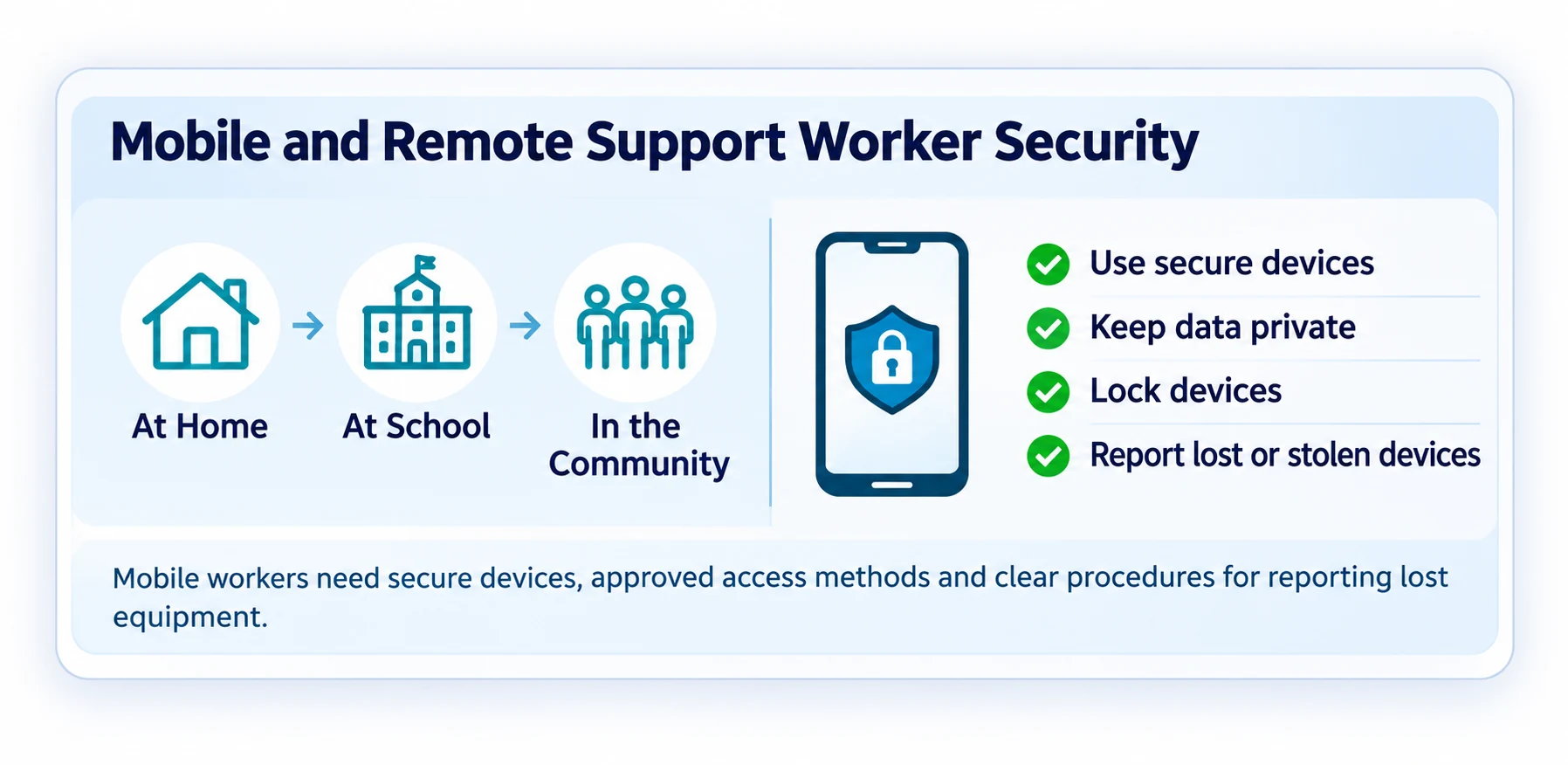
Secure mobile-work model
12-point NDIS provider cybersecurity checklist
Use these questions as a starting point for an internal review. Record the evidence and owner for each action.
| Area | Question to ask |
|---|---|
| 1. Information inventory | Do we know where participant information is collected, stored and shared? |
| 2. Access | Does every worker have a unique account with appropriate permissions? |
| 3. MFA | Is MFA enabled for email, cloud platforms and administrator access? |
| 4. Offboarding | Is access removed promptly when workers or contractors leave? |
| 5. Devices | Are work devices supported, updated, locked and protected? |
| 6. Mobile work | Are personal-device and messaging rules documented? |
| 7. Sharing | Are file links and recipient permissions reviewed? |
| 8. Backups | Are critical records backed up and restoration tests documented? |
| 9. Suppliers | Are external system access and incident responsibilities clear? |
| 10. Training | Do workers know how to identify and report suspicious activity? |
| 11. Incident response | Is there a practical plan with contacts and escalation steps? |
| 12. Risk review | Are security gaps prioritised, assigned and tracked to closure? |
What to do after a suspected cyber incident
If a participant record is emailed to the wrong person, a phone is lost, an account is compromised or a system becomes unavailable, act promptly and document decisions. Protect participant wellbeing and avoid destroying evidence.
Five-stage response workflow
Alert your responsible manager and IT/security support. Record what is known.
Limit unauthorised access, secure accounts or devices, and preserve relevant records.
Use approved alternatives to maintain safe, essential participant services.
Determine what information and people are affected; assess applicable privacy and NDIS reporting obligations.
Restore verified services, review causes and strengthen controls.
What an NDIS cybersecurity assessment can—and cannot—prove
A scoped cybersecurity assessment can review access controls, cloud configurations, device security, backups, incident readiness and supplier arrangements. It should identify evidence, explain risks in plain English and provide a prioritised remediation plan.
However, a cybersecurity assessment is not an official NDIS registration audit, a regulatory certification or a guarantee against cyber incidents. An online self-assessment based on your own answers is an awareness tool, not independent technical verification.
For privacy and security, do not enter or upload identifiable NDIS participant information into a public enquiry or self-assessment form.
Frequently asked questions
Do unregistered NDIS providers need to consider cybersecurity?
Yes. The NDIS Code of Conduct applies to registered and unregistered providers and workers, including privacy-related expectations. Other privacy and security obligations depend on the organisation's circumstances.
Can support workers use personal phones?
That depends on the provider's approved policies and risk assessment. Where personal devices are permitted, consider secure authentication, screen locks, updates, data separation and prompt incident reporting.
Is a free NDIS cybersecurity checklist an official audit?
No. A self-reported checklist can help identify possible gaps but does not independently validate technical controls or establish NDIS registration compliance.
What if participant information is accidentally shared?
Report it promptly, contain further disclosure, preserve relevant evidence and assess the incident against applicable privacy and NDIS requirements. Do not assume every accidental disclosure has the same notification outcome.
Need help strengthening your NDIS provider's cybersecurity?
Veytrix Cyber Security supports Australian NDIS and allied health providers with practical security assessments, risk reviews and prioritised recommendations. Sydney onsite and remote assessment options are available.
Explore our NDIS Cybersecurity Assessment →Further reading and official guidance
- NDIS Code of Conduct
- NDIS Practice Standards: governance and information management
- NDIS reportable incidents and incident management
- OAIC APP 11 guidance
- OAIC Notifiable Data Breaches scheme
Important: This guide is general information only, not legal advice, an official NDIS registration audit, compliance certification or guarantee of protection. Verify current requirements relevant to your organisation.